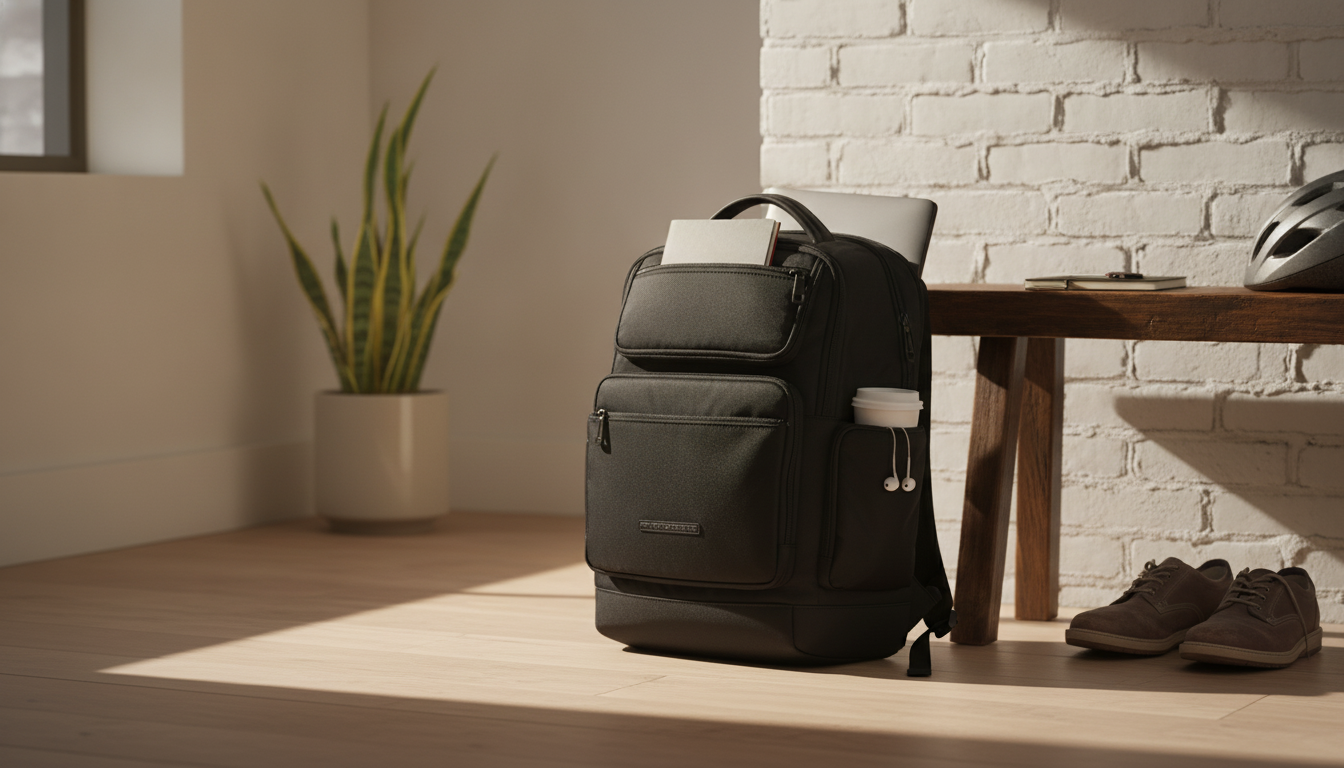
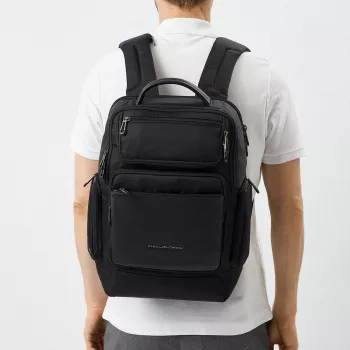
Designed for daily commuting and short business trips, this Piquadro backpack combines a laptop-safe layout with a more responsible materials approach—aiming to balance professional style, organization, and practical carry comfort. The result is a streamlined work bag that’s built to move through the day: from parking garage to train platform to conference room, without forcing you to choose between polish and utility.
What makes this backpack stand out
- Business-ready look that fits office routines, campus days, and travel-heavy weeks without appearing overly sporty.
- Dedicated laptop compartment to keep tech separated from daily essentials like keys, chargers, and notebooks.
- Eco-friendly positioning focused on more responsible material choices—helpful for shoppers trying to reduce impact without sacrificing performance.
- Streamlined everyday size that carries the essentials while staying nimble in crowded commutes.
Eco-friendly design considerations
“Eco-friendly” can mean different things from one brand to the next, so it helps to evaluate sustainability in practical, verifiable ways. When a backpack is positioned as eco-minded, the most meaningful signals tend to be the materials used, how long the bag is likely to last, and how much upkeep it requires to stay presentable.
- Materials and hardware: Look for recycled or lower-impact materials in the shell and lining, plus durable buckles and zippers that reduce the chance of early failure.
- Durability is sustainability: A backpack that stays in rotation for years reduces replacement frequency, which can reduce overall consumption.
- Low-maintenance finishes: Water-resistant surfaces that wipe clean easily can mean fewer harsh cleaners and less frequent re-treatment.
- Check documentation: If product details are available, confirm material composition and any recycled-content notes so claims are easier to understand and compare.
For broader context on waste reduction principles, the EPA’s guidance on Reduce, Reuse, Recycle is a solid reference. And to better understand how environmental claims should be described in marketing, the FTC’s Green Guides are a helpful benchmark.
Laptop compartment and device protection
A dedicated laptop section is more than a convenience—it’s a protection strategy. By isolating your computer from hard, sharp, or heavy items, the bag helps reduce the everyday bumps that can lead to scratches, pressure damage, or hinge stress.
- Separation prevents abrasion: Keeping keys, chargers, and adapters out of the same space as your laptop helps avoid cosmetic damage and screen scuffs.
- Padding and fit reduce shifting: A snug compartment and cushioning help prevent your device from sliding when you’re walking quickly or stepping on and off transit.
- Structure matters: A structured back panel can help the backpack keep its shape under load—important when the bag is packed tight.
- Pack smart: Place heavier items closer to the back panel for better balance and to keep pressure off the laptop area.
Organization for commuting and work
For day-to-day productivity, organization is often what separates a “nice backpack” from a truly work-ready one. When every item has a home, you spend less time digging and more time moving.
- Use internal pockets for tech: Keep cables, mouse, and adapters accessible so you can set up quickly at a desk or meeting table.
- Create zones: Separate spaces for tech, documents, and personal items help maintain a clean, professional setup.
- Quick-access storage: A small easy-reach pocket is ideal for keys, a transit card, or a phone when you’re moving through turnstiles.
- Keep moisture away from electronics: If you carry a bottle or umbrella, isolate it from the laptop compartment whenever possible.
Comfort and carry
Even a well-organized backpack can feel “off” if it doesn’t carry comfortably. When you’re hauling a laptop plus charger and the rest of the day’s essentials, fit and airflow become everyday quality-of-life features.
- Padded shoulder straps help reduce pressure during longer walks between parking, platforms, and the office.
- Breathable back panel can cut down on heat buildup during warmer commutes.
- Stable fit is key: The bag should feel secure and balanced, not like it’s pulling you backward.
- Adjust for leverage: Wear the backpack high enough that the load doesn’t tug at your lower back.
Best-use scenarios
Care tips to extend lifespan
Quick facts and purchase details
In-stock picks to round out a commute-ready setup
FAQ
What laptop sizes fit in the laptop compartment?
Check the product page for the supported screen size or the compartment dimensions, then compare them to your laptop’s width, height, and depth. If you use a slim sleeve, allow a bit of extra space so the fit isn’t overly tight.
Is the backpack water-resistant enough for commuting?
Water-resistant typically handles light rain and splashes, while waterproof is designed for heavier exposure and sealed protection. For wet-weather commutes, keep electronics in the laptop compartment and consider using pouches or a rain cover if you expect steady rain.
How should a backpack be packed to protect a laptop?
Place the laptop in its dedicated compartment, keep sharp or hard items away from it, and pack heavier items close to the back panel for stability. Minimizing empty space helps prevent contents from shifting and bumping the device as you move.
Recommended for you



Leave a comment