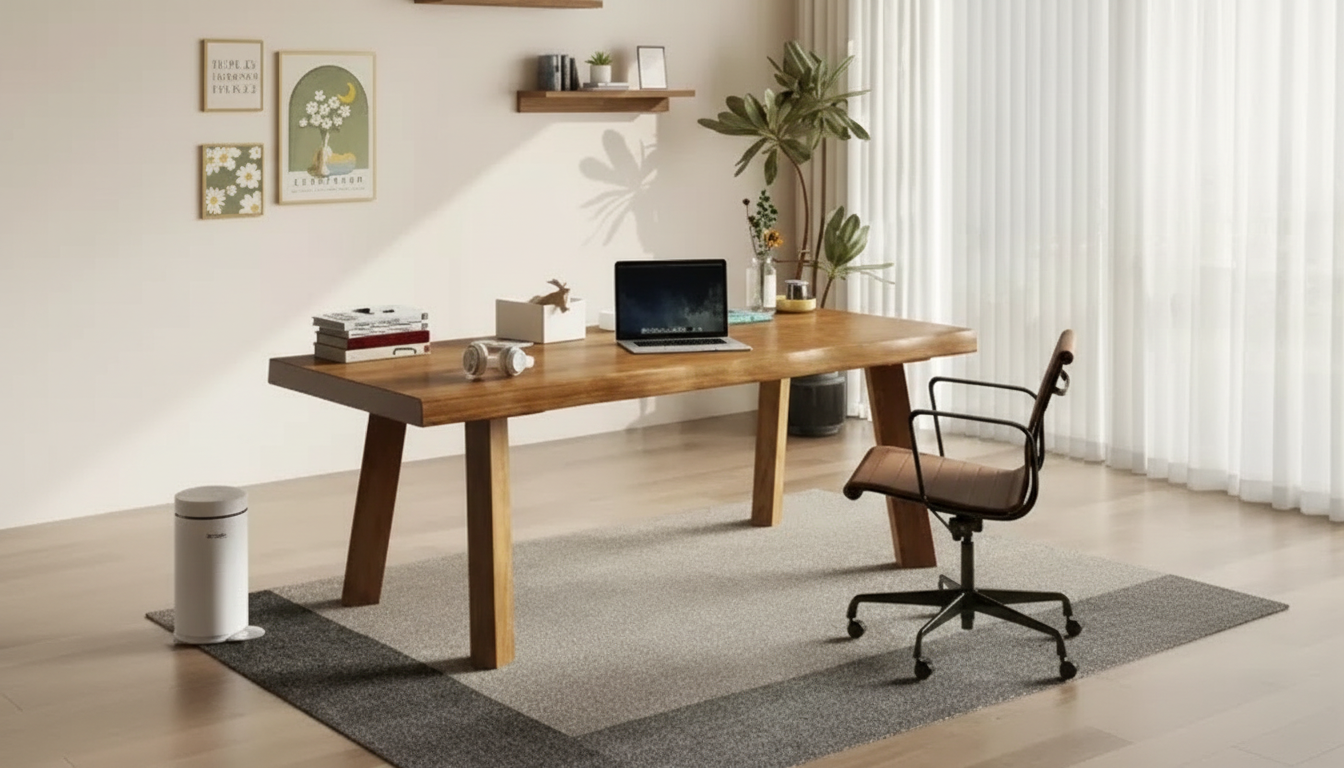
A solid wood desk is a long-term piece that has to fit the room, the workflow, and the body. Dimensions listed in inches (width, depth, height) make it easier to confirm clearance for chairs, storage, monitors, and walking paths. This guide breaks down how to evaluate desk size—especially around a 55-inch footprint—so the desk looks balanced and works comfortably day to day.
When a listing says “55-inch desk,” it’s usually referring to the top width. To avoid surprises, confirm the full set of measurements that affect day-to-day comfort and how the desk actually occupies space.
| What to measure | Good target range | Why it matters |
|---|---|---|
| Desk width | Around 55 | Fits two monitors for many setups while staying compact for most rooms |
| Desk depth | 24–30 | Supports comfortable viewing distance and keeps peripherals from feeling crowded |
| Desk height | 28–30 (typical) | Works for many chairs; verify with seated elbow height |
| Chair pull-back space | 30–36 behind desk | Allows standing up and rolling back without hitting walls/bed |
| Side clearance | 24+ on one side | Improves room flow and prevents a tight, boxed-in feel |
At 55 inches wide, a solid wood desk often lands in the “just right” category: roomy enough for serious work, but not so long that it overwhelms typical bedrooms, apartments, or shared rooms.
If your room can’t comfortably handle 60+ inches, but 48 inches forces everything into a tight cluster, 55 inches can be the difference between “it fits” and “it works.”
Depth is what determines whether a desk feels airy or cramped once monitors, a keyboard, and a mousepad show up. Two desks can both be 55 inches wide, yet feel completely different depending on whether they’re 24 inches deep or 30 inches deep.
For more detailed workstation comfort guidance, consult OSHA’s Computer Workstations eTool and NIOSH ergonomics resources for practical setup principles.
A “standard” desk height (often around 28–30 inches) works for many people, but the best fit depends on your chair adjustment range and how your arms rest while typing.
For a deeper technical overview of wood behavior and construction, the U.S. Forest Service Wood Handbook is a helpful reference.
If you’re comparing options, start with Solid Wood Desk 55 inches and verify the exact depth and height before committing. Then plan small upgrades that improve comfort without increasing the footprint—like a monitor arm, task light, and cable tray.
To keep a work area feeling cohesive in smaller homes, organization tools can matter almost as much as furniture. A structured wardrobe plan like Capsule Wardrobe Builder Kit | How to Build a Capsule Wardrobe 3-in-1 Guides can free up storage elsewhere so the desk zone stays uncluttered. For multi-use spaces (studio or guest room), a compact convenience item such as the Retro Countertop Microwave Oven with Digital Display – 0.7 Cu. Ft., 700W can help keep breaks out of the work area—especially when the desk sits near a kitchenette nook.
Often yes for two moderate-size monitors or one large display plus a laptop. Confirm the total monitor widths (including stands) and consider a monitor arm if you want to reclaim surface space.
Many setups feel best around 24–30 inches depending on monitor size and preferred viewing distance. Deeper desks usually feel less cramped once you add a keyboard, mouse, and a little “landing space” for daily items.
Commonly 30–36 inches behind the desk allows most people to roll back and stand up comfortably. In tighter rooms, it may still work with a smaller chair, but it can feel restrictive over time.




Leave a comment